
Introduction
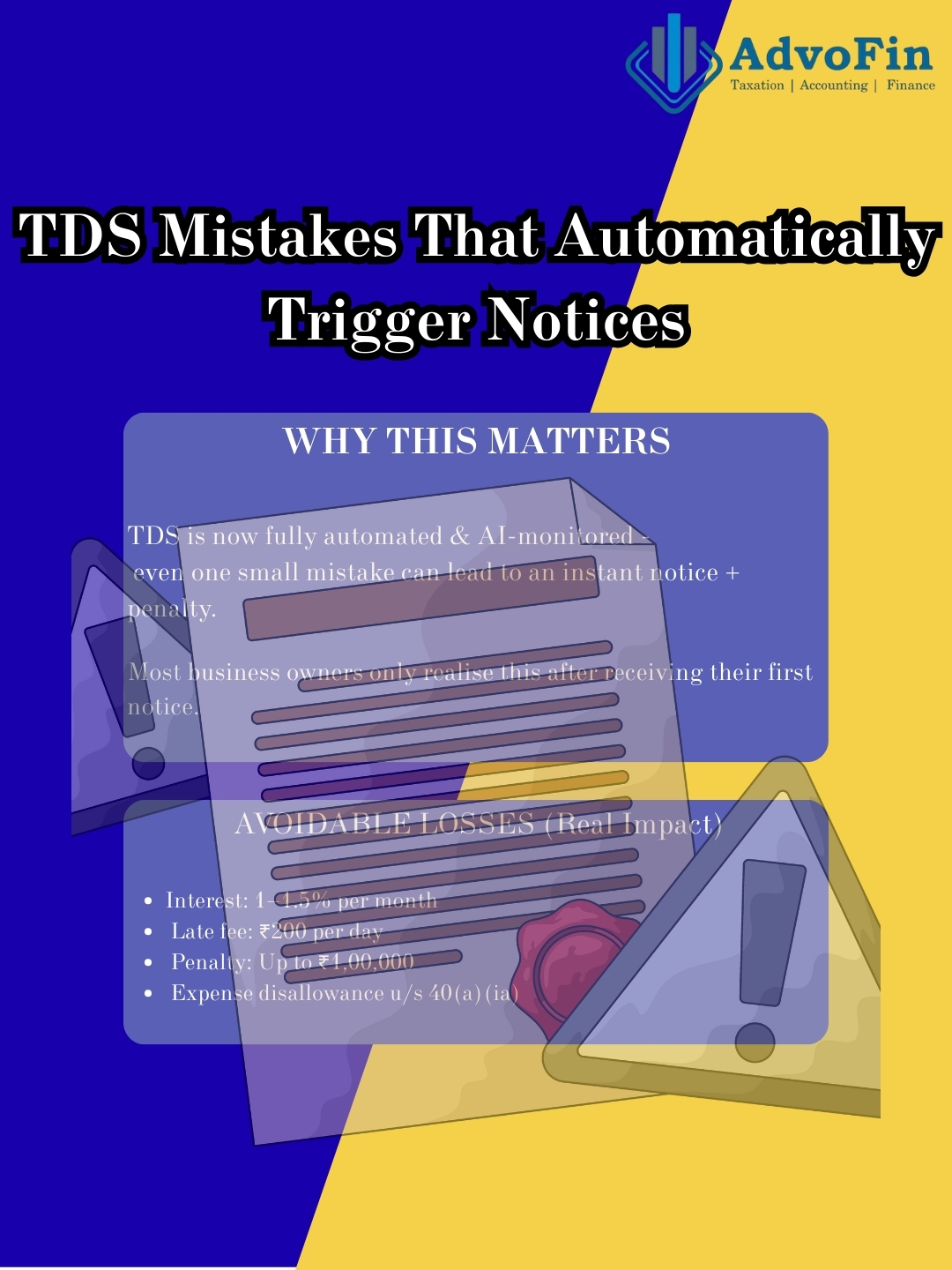
TDS (Tax Deducted at Source) is one of the most heavily monitored compliance areas in India. Unlike other tax matters where issues surface during audits, TDS mistakes generate automatic notices – often within days or weeks.
Why? Because the Income Tax Department uses sophisticated algorithms that constantly match:
- Your TDS returns (24Q/26Q/27Q)
- Form 26AS (tax credit statement)
- Annual Information Statement (AIS)
- GST data
- Bank transactions
- Vendor and employee ITRs
Even a single mismatch – wrong PAN, incorrect rate, delayed payment, or challan error – triggers automated intimations, interest demands, and penalty proceedings.
Most business owners underestimate TDS compliance until they receive their first notice. By then, you’re already dealing with:
- Interest charges at 1-1.5% per month
- Late fees of ₹200 per day
- Penalty exposure up to ₹1 lakh
- Disallowance of expenses under Section 40(a)(ia)
- In extreme cases, prosecution proceedings
This guide breaks down the most common TDS mistakes that trigger notices, explains why they happen, and gives you practical solutions to stay compliant.
Why TDS Mistakes Generate Notices So Quickly
TDS is the government’s frontline revenue collection mechanism. It ensures taxes are collected before money reaches the payee’s hands.
Because of this critical role, the system is highly automated:
Automatic Triggers:
- Challan doesn’t match your return → Immediate intimation
- TDS paid late → Interest auto-calculated and demanded
- Wrong PAN entered → Higher deduction rate applied + mismatch
- Vendor’s 26AS doesn’t show your TDS → Compliance alert
- Salary TDS doesn’t match employee’s ITR → Notice to both parties
- High-value payments without TDS → AIS flags the transaction
The department doesn’t wait for year-end or audits. The moment data doesn’t align, the system generates a notice.
The 12 Most Common TDS Mistakes (And How to Fix Them)
1. Deducting TDS at the Wrong Rate
This is the #1 reason for default notices and demands under Section 201.
TDS rates vary by payment type, and using the wrong rate creates immediate liability.
Common Rate Mistakes:
| Payment Type | Correct Rate | Common Error |
| Contractor payment | 1% (individuals/HUF) or 2% (others) | Using 10% |
| Professional fees | 10% under 194J | Confusing with 194C |
| Rent – Land/Building | 10% under 194-IB or 194-I | Not deducting at all |
| Rent – Plant/Machinery | 2% under 194-I | Using 10% |
| Commission to agents | 5% under 194H | Using 10% |
| Purchase of goods (194Q) | 0.1% | Not deducting at all |
Additional Complexity: If the payee hasn’t provided a valid PAN, you must deduct at 20% (or the prescribed rate, whichever is higher).
The Fix:
- Maintain an updated TDS rate chart for FY 2024-25
- Verify the section code before each deduction
- Use automated TDS software that applies correct rates
- Always validate the payee’s PAN before deduction
2. Not Deducting TDS at the Right Time
Critical Rule: TDS must be deducted at the time of credit to the account OR payment, whichever is earlier.
Many businesses only deduct TDS when they actually make the payment. This is wrong.
Example:
- Vendor invoice dated: 15th March
- Amount credited to vendor’s account in books: 15th March
- Actual payment made: 5th April
TDS must be deducted in March, not April.
Why This Matters: Late deduction attracts interest at 1% or 1.5% per month from the date TDS should have been deducted until it’s actually paid.
The Fix: Deduct TDS immediately when you book the expense in your accounts, even if payment happens later.
3. Delaying TDS Deposit
TDS deducted must be deposited to the government by the 7th of the following month (or the same day for government deductors).
Consequences of Late Deposit:
- Interest under Section 201(1A): 1.5% per month until deposit
- Penalty under Section 271H: ₹10,000 to ₹1,00,000
- Late fees under Section 234E: ₹200 per day
Critical Point: Even a 1-day delay means you pay interest for the full month.
Example: TDS deducted: ₹1,00,000 in March
Due date: 7th April
Paid on: 20th April (13 days late)
Interest: ₹1,00,000 × 1.5% = ₹1,500 (for full month)
The Fix:
- Set calendar reminders for the 5th of each month
- Maintain a buffer in your bank account for TDS payments
- Automate wherever possible
- Never mix TDS funds with working capital
4. Late or Non-Filing of TDS Returns
Quarterly TDS returns must be filed by specific deadlines:
| Quarter | Period | Due Date |
| Q1 | April-June | 31st July |
| Q2 | July-September | 31st October |
| Q3 | October-December | 31st January |
| Q4 | January-March | 31st May |
Consequences of Late Filing:
- Late fees under Section 234E: ₹200 per day until filed
- Penalty under Section 271H: Up to ₹1,00,000
- Delayed TDS certificates for vendors/employees
- Business operations can be affected (tender disqualification, loan applications rejected)
Common Filing Errors That Trigger Notices:
- Wrong challan mapping (incorrect CIN)
- Wrong section code used
- Missing deductee PAN or wrong PAN
- Duplicate entries
- Filing in wrong quarter
- Amount mismatch between challan and return
The Fix:
- File returns at least 5 days before the deadline
- Use NSDL’s validation utility before uploading
- Reconcile challans with return data
- Keep provisional certificates ready if filing is delayed
5. Challan and Return Mismatch (Wrong CIN Entry)
The CIN (Challan Identification Number) consists of:
- BSR Code (bank branch code)
- Challan Serial Number
- Date of deposit
If any of these details are entered incorrectly in your TDS return, the system cannot map your payment to your return.
Result:
- System shows “TDS not deposited”
- Short deposit notice under Section 200A
- Demand for unpaid TDS plus interest
- Even though you’ve already paid
The Fix:
- Download challan details from OLTAS (tax.gov.in)
- Copy CIN details directly – don’t type manually
- Verify CIN mapping before filing
- Use Form 27A for correction if needed
6. Incorrect or Missing PAN of Deductee
Entering wrong PAN or not collecting PAN has serious consequences:
For the Deductor (You):
- Must deduct TDS at 20% instead of normal rate
- Liable for short deduction if you applied lower rate
- Penalty exposure under Section 272B
For the Deductee (Vendor/Employee):
- Cannot claim TDS credit
- Mismatch in their 26AS
- Issues in ITR filing and refunds
Common Scenarios:
- Freelancer provides wrong PAN
- Vendor’s PAN is inactive or cancelled
- Typographical errors in PAN entry
- Transposing letters/numbers
The Fix:
- Always verify PAN before making payment using:
- Income Tax e-filing portal
- NSDL TIN verification
- Keep PAN verification screenshots as proof
- For employees, collect Form 16 Part B with verified PAN
- Reject invoices without valid PAN
7. Not Deducting TDS on Purchase of Goods (Section 194Q)
Effective from 1st July 2021, businesses with turnover exceeding ₹10 crore must deduct TDS at 0.1% on purchases of goods if:
- Purchase from a single seller exceeds ₹50 lakh in a financial year
- Seller is a resident
Why This Is Missed:
- Relatively new provision
- Small rate (0.1%) makes it seem negligible
- Confusion with Section 206C (TCS by seller)
- Poor coordination between purchase and accounts teams
How the Department Catches This: The system matches:
- Your GST purchase data (GSTR-2B)
- Your vendor’s GST sales data (GSTR-1)
- Your 26Q return
- AIS high-value transaction data
Example: Your turnover: ₹15 crore
Purchases from Vendor A: ₹60 lakh
TDS required: ₹60 lakh × 0.1% = ₹6,000
If not deducted → Notice for short deduction + interest + penalty
The Fix:
- Maintain vendor-wise purchase tracker
- Set alerts when purchases cross ₹45 lakh
- Deduct TDS on all subsequent invoices after ₹50 lakh threshold
- File Form 26Q quarterly
- Coordinate with your GST team
8. Wrong TDS Treatment on Director Remuneration
Director payments are often misclassified, creating complications.
Correct Classification:
| Payment Type | TDS Section | Rate |
| Salary to wholetime/managing director | 192 (Salary) | As per slab |
| Professional fees to non-executive director | 194J | 10% |
| Commission to director (not as employee) | 194J | 10% |
| Sitting fees | 194J | 10% |
Common Mistake: Treating all director payments as salary and filing in Form 24Q, when some should be in Form 26Q as professional fees.
Result: Mismatch between director’s 26AS and your returns, leading to notices.
The Fix:
- Clarify director’s employment status upfront
- Wholetime/managing directors = salary (24Q)
- Non-executive directors = professional fees (26Q)
- Maintain board resolutions specifying payment nature
9. Not Applying Section 206AB (Higher TDS for Non-Filers)
Since FY 2021-22, if a person hasn’t filed ITR for the last 2 years AND aggregate TDS/TCS in the previous year exceeded ₹50,000, you must deduct TDS at:
Higher of:
- Twice the normal rate, OR
- 5%
Example: Normal TDS rate: 10%
Non-filer: Yes
TDS to deduct: 20% (twice of 10%)
If you deduct only 10%, you’re liable for short deduction.
How to Check: Use the “Compliance Check for Section 206AB” facility on the Income Tax portal with the payee’s PAN.
The Fix:
- Check 206AB status for all vendors before payment
- Maintain a vendor compliance register
- Update records quarterly
- Communicate with vendors about filing returns
10. Ignoring TDS on Rent Paid to Individuals
Many businesses assume TDS on rent applies only to corporate landlords. Wrong.
Correct Rules:
| Payer | Threshold | Rate | Section |
| Individual/HUF (not liable to audit) | Rent > ₹50,000 per month | 5% | 194-IB |
| Businesses liable to audit | Rent > ₹2,40,000 per year | 10% | 194-I |
Common Mistakes:
- Paying rent in cash without TDS
- Not deducting on security deposit interest
- Not issuing Form 16C to landlord
- Not covering rent paid for parking, storage, or machinery
The Fix:
- Deduct TDS even for individual landlords
- Issue Form 16C within 15 days of filing quarterly return
- Keep rent agreements and payment proof
- Avoid large cash rent payments
11. TDS Not Deducted on Freelancers and Consultants
The gig economy has exploded, but TDS compliance hasn’t kept pace.
Common Payment Methods:
- UPI transfers
- Direct bank transfer
- PayPal/international payments
- Cash payments
The Mistake: Assuming that because payment is small, informal, or digital, TDS doesn’t apply.
The Reality: Any professional or technical service payment above threshold requires 10% TDS under Section 194J.
How the Department Knows:
- GST data (if consultant is registered)
- Bank transaction monitoring
- AIS flags high-value UPI/NEFT payments
- Consultant claims the expense in their ITR
The Fix:
- Maintain a freelancer/consultant register
- Collect PAN and service agreements
- Deduct TDS before payment
- Issue Form 16A quarterly
- Track payments to avoid threshold surprises
12. Mismatch Between Books, 26AS, and TDS Returns
This is the biggest trigger for CPC (Centralized Processing Center) notices.
Common Causes of Mismatch:
| Source of Error | Impact |
| TDS deducted in one quarter, filed in another | Quarter mismatch |
| Amount in books doesn’t match return | Value mismatch |
| Duplicate entries in return | Excess TDS shown |
| TDS not deposited but claimed in books | Credit mismatch |
| Manual journal entries without TDS tracking | Reconciliation breaks |
How It’s Detected: The department automatically matches:
- Form 26AS (shows TDS credited to vendor)
- Your TDS return (24Q/26Q)
- Vendor’s ITR (shows TDS claimed)
- Your books (shows TDS deducted and deposited)
- AIS and TIS (Annual/Tax Information Statement)
The Fix:
- Reconcile TDS with books monthly, not annually
- Match every challan with book entry
- Verify vendor 26AS credits quarterly
- Use accounting software with TDS module
- Don’t make manual adjustments without proper recording
How the Department Detects TDS Mistakes (Behind the Scenes)
Understanding detection helps you stay ahead:
1. GST vs TDS Cross-Matching
Your GSTR-2B (purchases) is matched with your 26Q (TDS on purchases). High purchases without corresponding TDS → Alert.
2. AIS/TIS Analysis
Annual Information Statement shows all your:
- Bank debits above thresholds
- Payments to vendors
- GST data
- TDS data
Algorithm compares these to detect non-deduction.
3. Salary Data Matching
Form 24Q (your salary TDS return) is matched with employees’ ITRs. Any mismatch → Both parties get notices.
4. Section 194Q and 206AB Checks
Advanced algorithms specifically look for:
- Businesses with turnover > ₹10 crore not using 194Q
- Payments to non-filers without higher TDS
5. 26AS Reconciliation
If your vendor shows TDS credit in their 26AS that you didn’t report, or vice versa → Automatic investigation.
Real-World Examples
Example 1: Late Payment Interest
Scenario: TDS deducted: ₹2,00,000 in March
Due date: 7th April
Paid: 15th May (38 days late)
Interest Calculation:
- April: ₹2,00,000 × 1.5% = ₹3,000
- May (partial): ₹2,00,000 × 1.5% = ₹3,000
- Total interest: ₹6,000
Plus late fee and potential penalty.
Example 2: Wrong PAN Entry
Scenario: Professional fee: ₹1,00,000
Correct TDS (194J): 10% = ₹10,000
But PAN entered was wrong
Result:
- Should have deducted: 20% = ₹20,000
- Short deduction: ₹10,000
- Interest on ₹10,000 until corrected
- Vendor cannot claim credit
- Relationship damage
Example 3: Missing Section 194Q
Scenario: Turnover: ₹12 crore
Purchases from single vendor: ₹65 lakh
No TDS deducted
Detection: Department matches GST data → Sees ₹65 lakh purchase → No TDS in 26Q
Liability:
- TDS: ₹65 lakh × 0.1% = ₹6,500
- Interest: ₹6,500 × 1.5% × 12 months = ₹1,170
- Penalty: Up to ₹6,500
- Total: ~₹14,000 for skipping ₹6,500 TDS
Your TDS Compliance Checklist (Monthly Discipline)
Implement this as a non-negotiable monthly routine:
Week 1 (First Week of Month):
Review all payments made last month
Verify PAN of all new vendors/payees
Check 206AB compliance for applicable vendors
Calculate TDS on each payment
Generate TDS computation sheet
By 7th of Month:
Deposit all TDS deducted in previous month
Collect challan details (CIN) immediately
Update TDS register with deposit details
By 10th of Month:
Reconcile TDS deposited with books
Match challans with book entries
Update vendor-wise TDS records
Quarterly (Before Return Due Date):
Prepare TDS return (24Q/26Q/27Q as applicable)
Verify all CIN details in return
Validate PAN of all deductees
Check for duplicate entries
Run NSDL validation utility
File return at least 5 days before deadline
Download and verify Form 26AS
Issue TDS certificates (Form 16/16A)
Quarterly Reconciliation:
Match your TDS return with Form 26AS
Verify vendor credits in their 26AS (ask for confirmation)
Reconcile with GST data (for 194Q)
Check AIS for any missing deductions
How to Avoid TDS Notices Completely
1. Implement a Systematic TDS Workflow
Don’t treat TDS as an afterthought. Build it into your payment process:
- Payment request → PAN verification → TDS calculation → Approval → Payment → Deposit → Recording
2. Use Technology
- Automated TDS software (Tally, SAP, Zoho Books, etc.)
- Integrated with accounting system
- Automatic rate application
- Challan generation and tracking
- Return preparation
3. Monthly Reconciliation (Non-Negotiable)
Reconcile three things every month:
- Books of accounts
- TDS registers
- Challan statements
4. Vendor Management System
Maintain for each vendor:
- Verified PAN
- Section 206AB status
- TDS rate applicable
- Year-to-date payments
- TDS deducted and deposited
- Certificates issued
5. Professional Supervision
Have a CA or tax professional:
- Review your TDS setup quarterly
- Audit TDS process annually
- Handle complex situations
- Respond to notices promptly
6. Documentation Discipline
Maintain for 7 years:
- All invoices and bills
- Payment proof
- TDS computation sheets
- Challans
- TDS returns
- Form 26AS
- TDS certificates issued
7. Training and Awareness
Train your accounts team on:
- Current TDS rates and sections
- PAN verification process
- Due date management
- Return filing process
- Common mistakes to avoid
Key Takeaway
TDS compliance seems straightforward but is one of the most error-prone and heavily monitored areas of taxation.
The good news: TDS mistakes are entirely preventable if you follow a systematic approach.
The system is simple:
- Deduct at correct rate and time
- Deposit by the 7th of next month
- File returns quarterly with accurate data
- Reconcile monthly with books and 26AS
- Document everything
Follow this discipline, and you’ll never receive a TDS notice.
Ignore even one element, and the automated system will catch it – often within weeks.
Frequently Asked Questions (FAQs)
Q1: What happens if I deduct TDS but forget to deposit it?
You’re liable for:
- Interest at 1.5% per month from the due date until deposit
- Penalty under Section 221 (up to the tax amount)
- Potential prosecution if default is willful and prolonged
- Your business expense may be disallowed under Section 40(a)(ia)
Q2: Can I revise a TDS return if I made a mistake?
Yes, you can file a correction statement using Form 27A. However:
- It doesn’t erase interest liability
- Late fees still apply
- Do it as soon as you discover the error
- Keep documentation of the correction
Q3: What if my vendor provides wrong PAN and I deduct at 20%?
You’re safe – you followed the law by deducting at higher rate. The vendor will have issues claiming credit. Always verify PAN before deducting to avoid relationship issues.
Q4: How do I know if I need to apply Section 206AB?
Use the “Compliance Check for Section 206AB” function on the Income Tax portal. Enter the vendor’s PAN, and it will tell you if higher TDS applies. Check this before every payment to non-regular vendors.
Q5: What’s the difference between 24Q and 26Q?
- Form 24Q: TDS on salaries (Section 192) – Filed quarterly by employers
- Form 26Q: TDS on payments other than salaries (contractors, professionals, rent, etc.) – Filed quarterly
- Form 27Q: TDS on payments to non-residents – Filed quarterly
Q6: If TDS due date falls on a holiday, when should I deposit?
The next working day. However, it’s safer to deposit 2-3 days before to avoid last-minute issues.
Q7: Can I claim TDS deducted but not deposited as an expense?
No. Section 40(a)(ia) disallows any expense where TDS:
- Was deductible but not deducted, OR
- Was deducted but not deposited by the due date of filing ITR
This means you pay tax on the full amount without claiming the expense.
Q8: What if the payee has a Lower Deduction Certificate?
If the payee has a valid certificate under Section 197 (lower/nil TDS), you can deduct at the rate mentioned in the certificate. Keep a copy of:
- The certificate
- Application and sanction order
- Validity dates
Q9: How do I handle TDS on advance payments?
TDS must be deducted when advance is paid (not when final bill is raised). This applies to:
- Advance to contractors
- Advance rent
- Professional fee advances
Credit or payment, whichever is earlier – advance payment triggers the TDS obligation.
Q10: What should I do if I receive a TDS notice?
Don’t ignore it. Follow these steps:
- Read the notice carefully – identify the specific issue
- Check your records (return, challan, books)
- If it’s correct, pay immediately with interest
- If it’s a mistake, gather supporting documents
- Respond before the deadline (usually 7-30 days)
- Use the online rectification facility if available
- Consult a CA for complex notices or significant amounts
Q11: Is TDS applicable on reimbursements?
Generally, no – if they’re genuine reimbursements (you pay on behalf of someone and they refund you). However:
- If reimbursement is actually part of service fee, TDS applies
- Keep supporting bills and documentation
- GST treatment should align with TDS treatment
Q12: What’s the penalty for not deducting TDS at all?
If TDS was deductible but you didn’t deduct:
- You’re treated as “assessee in default” under Section 201
- Liable to pay the TDS amount yourself
- Interest at 1.5% per month from the date it should have been deducted
- Penalty up to the tax amount under Section 221
- Expense disallowance under Section 40(a)(ia)
Q13: Can I adjust excess TDS deducted in one month with the next month?
No. Each month’s TDS must be deposited separately. You cannot:
- Carry forward excess
- Adjust with next month
- Offset against other taxes
File a correction statement and help the deductee claim the excess as refund.
Q14: How long should I keep TDS records?
Maintain all TDS records for 7 years from the end of the relevant assessment year. This includes:
- Invoices and bills
- Payment proof
- TDS computation
- Challans
- Returns filed
- Form 26AS
- Certificates issued
- Correspondence with vendors
Q15: What if my CA made a mistake in TDS return filing?
You (the deductor) remain responsible, not your CA. However:
- File correction statement immediately
- Pay interest and late fees
- You may have a professional negligence claim against your CA
- Going forward, implement a review system where you verify critical data before filing
Final Word:
TDS compliance is about discipline, not complexity. The rules are clear, deadlines are fixed, and rates are published. What trips businesses up is poor systems, lack of attention, and delayed action.
Build TDS into your payment workflow as a non-negotiable step – like verifying bank account details before transfer – and you’ll never face a notice.
Still have questions? Contact AdvoFin Consulting for consultation.
📧 Email: info@advofinconsulting.com
📞 Phone: +91-92116-76467
🌐 Website: www.advofinconsulting.com
Disclaimer: This blog is for educational purposes only and does not constitute professional tax advice. GST/income tax laws are subject to amendments and judicial interpretations. Consult a qualified Tax practitioner for specific situations.