
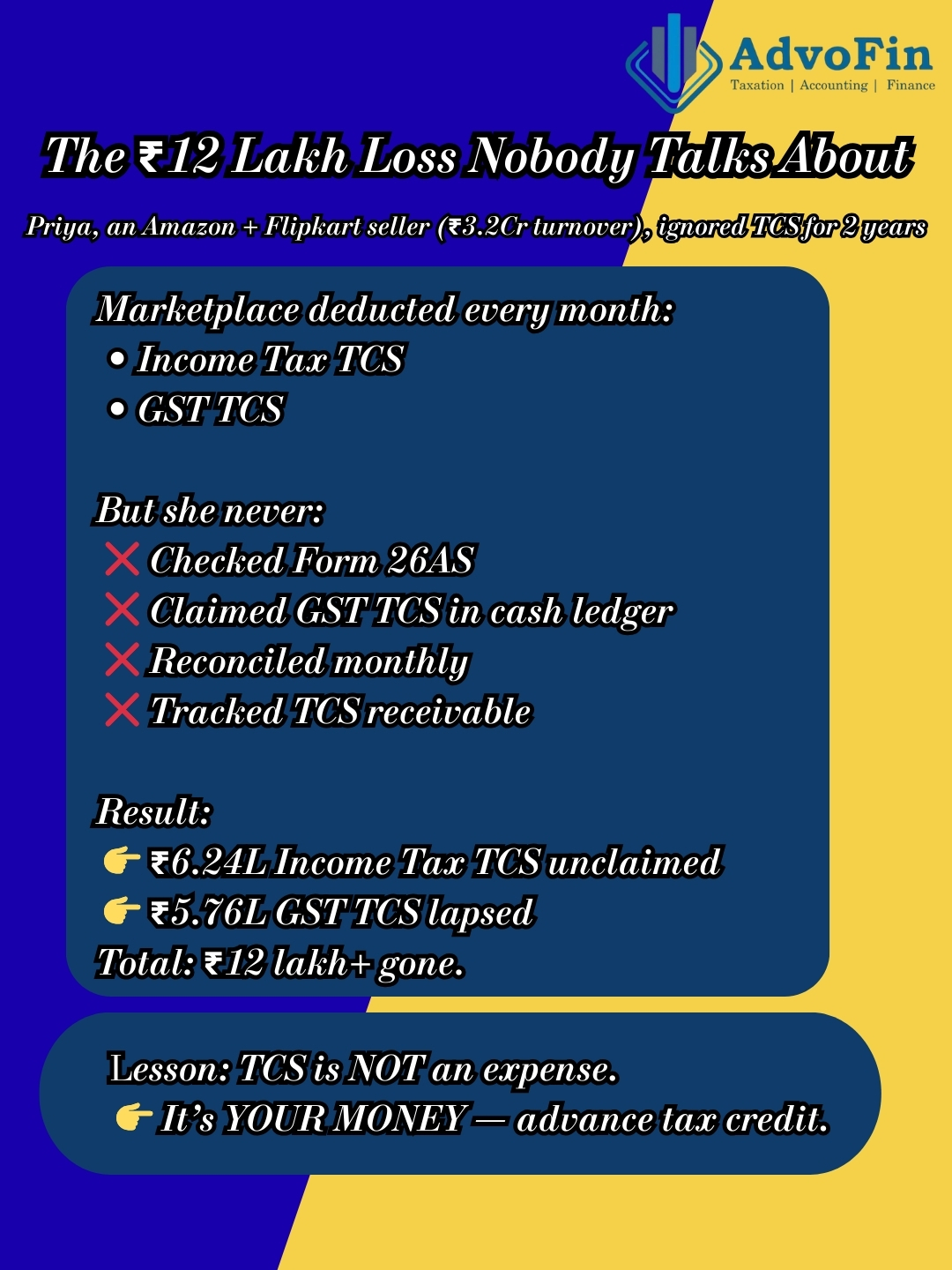
Introduction: The ₹3.2 Lakh Tax Credit Lost in Confusion
Priya’s story (real case, name changed):
Priya runs a successful fashion accessories business on Amazon and Flipkart. Annual sales: ₹3.2 crores.
Every month, she notices deductions in her settlement reports:
- “TCS – Income Tax: ₹26,000”
- “TCS – GST: ₹24,500”
She assumes: “This is tax I’m paying. Nothing I can do about it.”
She never:
- ✅ Checks Form 26AS (to see if TCS credit is reflecting)
- ✅ Claims GST TCS credit in electronic cash ledger
- ✅ Reconciles marketplace reports with GST returns
- ✅ Tracks TCS receivable in books
Fast forward 2 years:
While filing her Income Tax Return (ITR), her CA asks: “Where’s your TCS credit from marketplaces?”
Priya: “What TCS credit?”
CA reviews Form 26AS:
TCS deducted by Amazon/Flipkart: ₹6,24,000 over 2 years.
But Priya never claimed it in ITR (thought it was an expense, not a credit).
Result:
- She overpaid tax by ₹6.24 lakhs (could have adjusted against her tax liability)
- Had to file revised returns for 2 years
- Refund claim process: 8 months
- Interest lost (her ₹6.24L stuck with govt earning 0%; she could’ve used it in business)
For GST:
GST TCS deducted: ₹5.76 lakhs over 2 years.
Never claimed in electronic cash ledger.
Lost credit (because GST credits time-barred after certain period).
Total value lost/delayed: ₹12 lakhs+
This happens to 70%+ e-commerce sellers who:
❌ Don’t understand TCS (think it’s a “fee” or “tax expense”)
❌ Don’t track TCS separately (Income Tax vs. GST)
❌ Don’t reconcile marketplace reports monthly
❌ Don’t check Form 26AS/GSTR-2B for TCS credits
❌ Don’t know TCS is advance tax credit (adjustable against final tax liability)
❌ Miss claiming credits (money stuck with govt)
The truth:
TCS (Tax Collected at Source) is NOT an expense—it’s YOUR MONEY (advance tax paid on your behalf by marketplace).
You MUST:
- Track it monthly
- Ensure it reflects in Form 26AS (Income Tax) and GSTR-2B (GST)
- Claim it as credit when filing ITR/GST returns
- Reconcile with books
If not: You’re essentially gifting lakhs to the government interest-free.
This comprehensive guide covers:
- What is TCS for e-commerce sellers (Income Tax vs. GST)
- Who must deduct TCS (marketplace vs. D2C)
- TCS rates and applicability (2025 update)
- How TCS appears in marketplace reports
- Form 26AS and GSTR-2B TCS tracking
- Step-by-step TCS reconciliation process
- Common mistakes (and how to avoid them)
- Impact on GST and Income Tax compliance
- TCS vs. TDS (key differences)
- Practical examples with calculations
- Monthly compliance checklist
1. What is TCS for E-Commerce Sellers? (Two Types Explained)
TCS = Tax Collected at Source
For e-commerce sellers, there are TWO separate TCS mechanisms:
Type A: TCS Under Income Tax Act (Section 194-O)
Legal basis: Section 194-O introduced in Finance Act 2020.
Who deducts: E-commerce operators (Amazon, Flipkart, Meesho, Myntra, etc.)
From whom: All sellers selling through their platform.
On what: Gross sale value (before returns, discounts, commissions).
Rate: 1% (increased from 0.75% w.e.f. October 1, 2020; confirmed 1% in Budget 2025).
Nature: Advance tax collected on your behalf.
Reflected in: Form 26AS (Part F – TCS)
Claimed in: Income Tax Return (ITR) as TCS credit (adjustable against your final tax liability).
Example:
Gross sales in January: ₹10,00,000
TCS deducted by Amazon: 1% of ₹10,00,000 = ₹10,000
You receive: ₹10,00,000 – ₹10,000 (TCS) – ₹1,50,000 (commission) – ₹30,000 (shipping) – ₹other fees = Net payout ~₹8 lakhs
This ₹10,000:
- Deposited by Amazon to Income Tax Dept
- Reflects in your Form 26AS (PAN-wise)
- You claim it when filing ITR
- Adjusts against your final tax payable
If your final tax is ₹50,000:
You pay only ₹40,000 (₹50,000 – ₹10,000 TCS).
If your TCS > final tax:
You get refund of excess.
Type B: TCS Under GST Act (Section 52 of CGST Act)
Legal basis: Section 52 of CGST Act + Rule 36(4).
Who deducts: E-commerce operators (ECO) registered under GST.
From whom: All sellers supplying goods/services through the operator.
On what: Net taxable value (after returns, exemptions, discounts).
Rate: 1% total (0.5% CGST + 0.5% SGST for intra-state; 1% IGST for inter-state).
Nature: Advance GST credit.
Reflected in: GSTR-2A / GSTR-2B (auto-populated from operator’s GSTR-8).
Claimed in: Your electronic cash ledger (can be used to pay GST liability).
Example:
Taxable sales in January: ₹9,00,000 (after returns, exemptions)
GST TCS by Flipkart: 1% of ₹9,00,000 = ₹9,000
This ₹9,000:
- Deposited by Flipkart to GST portal
- Reflects in GSTR-2B under “TCS Credit”
- You claim it in your electronic cash ledger
- Use it to pay future GST liability
Key Differences:
| Aspect | Income Tax TCS (194-O) | GST TCS (Section 52) |
|---|---|---|
| Act | Income Tax Act | GST Act |
| Rate | 1% of gross sales | 1% of net taxable value |
| Deducted by | E-commerce operator | E-commerce operator |
| Reflected in | Form 26AS (Part F) | GSTR-2A/2B |
| Claimed in | ITR (TCS credit) | Electronic cash ledger (GST credit) |
| Adjustable against | Income tax liability | GST liability |
| Base | Gross sales (before expenses) | Net taxable supplies (after returns) |
2. Who Must Deduct TCS? (Applicability Matrix)
✅ Scenario 1: Selling on Marketplace (Amazon, Flipkart, Meesho, Myntra, Ajio, Nykaa, Snapdeal)
Both TCS apply:
- Income Tax TCS (Section 194-O): 1%
- GST TCS (Section 52): 1%
Total TCS deducted: ~2% (approximately, as bases differ).
✅ Scenario 2: Selling on Your Own D2C Website (Shopify, WooCommerce, Magento)
No TCS applicable (you are not using a “marketplace”).
But:
- You must charge GST and pay directly
- No TCS mechanism
- Direct tax compliance
✅ Scenario 3: Using Payment Gateway (Razorpay, Paytm, Cashfree, PayU, Instamojo)
Income Tax TCS: Generally NOT applicable (payment gateways are not “e-commerce operators” for Section 194-O).
Exception: If payment gateway also operates as marketplace (facilitates buyer-seller connection), then TCS may apply.
GST TCS: Only if payment gateway is also registered as ECO under GST (rare).
✅ Scenario 4: Selling on International Marketplaces (Amazon.com, Etsy, eBay – Global)
Income Tax TCS (194-O): Generally NOT applicable (foreign marketplace, not covered under Indian Income Tax Act unless they have Indian entity registered).
GST TCS: Only on sales to Indian customers (if marketplace has Indian GSTIN and facilitates supply in India).
Export sales: Zero-rated under GST → No GST liability → No GST TCS (but export documentation required).
✅ Scenario 5: Selling Services (Freelancing, Consulting on Platforms like Upwork, Fiverr, Freelancer)
Section 194-O: Technically applicable if these platforms are “e-commerce operators” facilitating supply of services.
But practically: Most international platforms (Upwork, Fiverr) don’t deduct Indian TCS (they’re not India-registered).
GST TCS: Only if platform is India-registered ECO (unlikely).
What applies instead: Export of services (if client abroad) → GST: 0% → Income Tax: Declare income in ITR, pay tax yourself (no TCS by platform).
3. TCS Rates and Threshold (2025 Update)
Income Tax TCS (Section 194-O):
Rate: 1% (for all sellers, no threshold).
Threshold: None specified (even ₹1 sale triggers TCS).
Collected on: Gross sale consideration (includes product price, shipping charged to customer, but excludes GST).
Not deducted on:
- Returns (reversed after returns processed)
- Cancelled orders
GST TCS (Section 52):
Rate: 1% (0.5% CGST + 0.5% SGST for intra-state; 1% IGST for inter-state).
Threshold: None (applies from ₹1 supply).
Collected on: Net value of taxable supplies (after deducting returns, non-taxable supplies).
Not applicable on:
- Exempt supplies (e.g., healthcare, education services if exempt)
- Zero-rated supplies (exports—GST is 0%, so TCS base is nil)
4. How TCS Appears in Marketplace Reports (Reading Settlement Reports)
Every marketplace (Amazon, Flipkart, Meesho) provides monthly reports.
Typical Amazon Settlement Report Structure:
| Line Item | Amount (₹) |
|---|---|
| Gross Sales | 10,00,000 |
| Less: Returns/Refunds | (1,00,000) |
| Net Sales | 9,00,000 |
| Less: Amazon Commission (15%) | (1,35,000) |
| Less: Shipping Fee | (30,000) |
| Less: Other Fees (FBA, advertising, etc.) | (50,000) |
| Sub-total | 6,85,000 |
| Less: TCS – Income Tax (1%) | (10,000) |
| Less: TCS – GST (1%) | (9,000) |
| Net Payout to Seller | 6,66,000 |
Key Observations:
✅ TCS – Income Tax: Calculated on gross sales (₹10L) = ₹10,000
✅ TCS – GST: Calculated on net taxable supplies (₹9L) = ₹9,000
✅ Both appear as deductions in settlement report
✅ Net amount you receive in bank: ₹6,66,000
Important Reports to Download Monthly:
From Amazon Seller Central:
- Settlement Report (shows TCS deductions)
- Transaction Report (detailed sales, returns)
- TCS Summary Report (monthly TCS deducted—Income Tax)
- GST Invoice Report (for GSTR-1 filing)
From Flipkart Seller Hub:
- Payment Settlement Report
- TCS Report (Income Tax)
- TCS Report (GST)
- Tax Invoice Report
From Meesho:
- Payout Report
- TCS Deduction Report
5. Form 26AS and GSTR-2B: Where TCS Credits Appear
For Income Tax TCS (Form 26AS):
How to check:
Step 1: Login to e-filing portal (incometax.gov.in)
Step 2: Navigate: Services → View Form 26AS
Step 3: Select Assessment Year (e.g., AY 2025-26 for FY 2024-25)
Step 4: Go to Part F – TCS (Tax Collected at Source)
Step 5: Look for entries:
| Collector Name | Collection Amount | Month |
|---|---|---|
| Amazon Seller Services Pvt Ltd | ₹10,000 | January 2025 |
| Flipkart Internet Pvt Ltd | ₹8,500 | January 2025 |
What to verify:
✅ Collector name matches marketplace
✅ Amount matches your settlement report
✅ PAN is yours (not someone else’s—common error if multiple sellers share account)
✅ All months covered (no missing months)
Common issues:
❌ TCS not reflecting: Marketplace deducted but didn’t deposit/file (contact marketplace)
❌ Wrong PAN: Marketplace used wrong PAN (update your PAN in seller account)
❌ Delay: TCS deducted in March 2025 may reflect in April/May 26AS (1-2 month lag normal)
For GST TCS (GSTR-2B):
How to check:
Step 1: Login to GST portal (gst.gov.in)
Step 2: Navigate: Services → Returns → GSTR-2B
Step 3: Select month (e.g., January 2025)
Step 4: Go to Section 10 – TCS and TDS Credit
Step 5: Look for:
| Supplier/Collector | TCS Amount (IGST) | TCS Amount (CGST) | TCS Amount (SGST) |
|---|---|---|---|
| Amazon Seller Services | ₹9,000 | – | – |
| Flipkart Internet | – | ₹4,000 | ₹4,000 |
What to verify:
✅ TCS amount matches your settlement report
✅ GSTIN matches marketplace GSTIN
✅ All months appear (marketplace must file GSTR-8 for you to see credit in 2B)
Common issues:
❌ TCS not in 2B: Marketplace didn’t file GSTR-8 on time (wait or contact them)
❌ Mismatch: Your calculation vs. their calculation (different base—they use net taxable value)
❌ Multiple GSTINs: If you sell from different states, ensure TCS credited to correct GSTIN
6. Step-by-Step TCS Reconciliation Process (Monthly Workflow)
This is the most critical section—prevents 90% of TCS-related issues.
Phase 1: Download All Reports (By 5th of Next Month)
From Marketplace:
- Settlement report (month-wise)
- TCS summary (Income Tax)
- TCS summary (GST)
- Sales transaction report
From Govt Portals:
- Form 26AS (Income Tax portal)
- GSTR-2B (GST portal)
From Your Books:
- Sales ledger (marketplace-wise)
- TCS receivable ledger (Income Tax)
- GST TCS credit ledger
Phase 2: Reconcile Income Tax TCS (3-Way Match)
Create Excel/Google Sheet:
| Month | Marketplace Report TCS | Form 26AS TCS | Books (TCS Receivable) | Difference | Reason/Action |
|---|---|---|---|---|---|
| Jan 2025 | ₹10,000 | ₹10,000 | ₹10,000 | ✅ Nil | Matched |
| Feb 2025 | ₹12,000 | ₹0 | ₹12,000 | ❌ ₹12,000 | Not yet in 26AS (wait or follow-up) |
If mismatch:
Reason 1: Timing difference (deducted in last week of month, deposited next month)
Action: Wait 30 days, check again
Reason 2: Marketplace deducted but didn’t deposit
Action: Raise ticket with marketplace (they have legal obligation to deposit)
Reason 3: Wrong PAN used
Action: Update PAN in seller account, ask marketplace to correct (file correction statement)
Phase 3: Reconcile GST TCS (3-Way Match)
Create Excel/Google Sheet:
| Month | Marketplace Report TCS | GSTR-2B TCS | Books (GST TCS Credit) | Difference | Reason/Action |
|---|---|---|---|---|---|
| Jan 2025 | ₹9,000 | ₹9,000 | ₹9,000 | ✅ Nil | Matched |
| Feb 2025 | ₹11,000 | ₹9,500 | ₹11,000 | ❌ ₹1,500 | Check if returns adjusted in 2B |
If mismatch:
Reason 1: Marketplace didn’t file GSTR-8
Action: Contact marketplace
Reason 2: Different calculation base (you calculated on gross, they on net after returns/exemptions)
Action: Re-calculate using net taxable value
Reason 3: Multiple GSTINs (state-wise), TCS scattered
Action: Compile all GSTINs, match individually
Phase 4: Update Books (By 10th of Month)
Journal Entries:
For Income Tax TCS:
Debit: TCS Receivable (Income Tax) ₹10,000
Credit: Sales / Revenue ₹10,000
(Being TCS deducted by Amazon on sales)
For GST TCS:
Debit: GST TCS Credit Ledger ₹9,000
Credit: Sales / Revenue ₹9,000
(Being GST TCS collected by Flipkart)
Phase 5: Claim Credits (Timely)
Income Tax TCS:
Claim in ITR when filing (annually).
GST TCS:
Claim in electronic cash ledger immediately (don’t wait—use it to pay GSTR-3B liability).
How to claim GST TCS:
Step 1: Login to GST portal
Step 2: Dashboard → Electronic Cash Ledger
Step 3: Check balance (TCS should auto-credit after GSTR-8 filed by marketplace)
Step 4: When filing GSTR-3B, system auto-adjusts TCS credit against liability
7. Common TCS Mistakes E-Commerce Sellers Make (And Solutions)
❌ Mistake 1: Thinking TCS is an Expense
Wrong mindset: “Marketplace charged me ₹10K TCS—this is my cost.”
Reality: TCS is advance tax paid on your behalf. You get it back (adjusted against final tax or refunded).
Solution: Treat TCS as receivable/credit in books, not expense.
❌ Mistake 2: Not Checking Form 26AS Monthly
What happens:
Year-end, you file ITR without checking 26AS → TCS credit missing → You overpay tax → Discover 6 months later → File rectification → Wait 1 year for refund.
Solution: Check 26AS every month (5th of next month). If TCS not reflecting, follow up immediately with marketplace.
❌ Mistake 3: Not Claiming GST TCS Credit
What happens:
GST TCS keeps accumulating in electronic cash ledger (you don’t know it’s there) → You pay GSTR-3B liability using bank transfer → Your own money used instead of govt’s money (TCS credit).
Solution: Before paying GSTR-3B, check electronic cash ledger balance → Use TCS credit first, bank transfer only for shortfall.
❌ Mistake 4: Wrong Turnover Reported in ITR
What happens:
You report ITR turnover: ₹1.2 crores (based on settlement payout received).
But actual gross sales: ₹1.5 crores (before commissions, TCS, etc.).
Mismatch: Department sees TCS of ₹1.5Cr in 26AS but your ITR shows ₹1.2Cr turnover → Notice.
Solution: Report gross sales in ITR (₹1.5Cr), then deduct commission, expenses to arrive at profit.
❌ Mistake 5: Not Reconciling Marketplace Reports with GSTR-1
What happens:
You file GSTR-1 showing sales: ₹10L.
Marketplace TCS deducted on: ₹12L (they show gross, you showed net).
Mismatch → GST department notice.
Solution: Match GSTR-1 sales with marketplace gross sales report (not settlement report).
❌ Mistake 6: Ignoring Returns/Cancellations in Different Periods
What happens:
Sale in January: ₹1L → TCS deducted ₹1K.
Return in February: ₹20K.
Marketplace adjusts TCS in February settlement (refunds ₹200 TCS).
But you already recorded ₹1K TCS receivable in January → Books show ₹1K, actual is ₹800.
Solution: Track returns separately → Adjust TCS receivable when return happens (not just in January).
❌ Mistake 7: Multiple Sellers, One PAN
What happens:
You and your brother both sell on Amazon using same PAN.
TCS appears in 26AS combined.
At ITR time, confusion: Whose sales? Whose TCS?
Solution: Each seller should have separate PAN (for proprietorship, use individual PAN; for partnership, use firm PAN).
❌ Mistake 8: Not Maintaining TCS Ledger in Books
What happens:
Year-end, CA asks: “How much TCS?”
You: “Let me check all 12 settlement reports…” (takes 3 hours, still errors).
Solution: Maintain dedicated TCS Receivable Ledger (updated monthly). Simple Excel:
| Date | Marketplace | Sales | TCS Deducted | Form 26AS Status | Claimed in ITR? |
|---|---|---|---|---|---|
| Jan 2025 | Amazon | ₹10L | ₹10K | ✅ Reflected | No (ITR not yet filed) |
| Feb 2025 | Flipkart | ₹8L | ₹8K | ⏳ Pending | No |
❌ Mistake 9: Assuming All Marketplaces Deduct Same TCS Rate
Reality:
Most deduct 1% (Income Tax) + 1% (GST).
But some international platforms may not deduct at all.
Some B2B platforms have different rules.
Solution: Check each marketplace’s TCS policy (usually in seller central help docs).
❌ Mistake 10: Not Filing GSTR-9 / GSTR-9C (If Applicable)
If your aggregate turnover >₹5 crores:
Must file GSTR-9C (reconciliation statement certified by CA).
TCS reconciliation is part of GSTR-9C audit.
If TCS not properly reconciled → Qualified audit report → Department scrutiny.
Solution: If turnover >₹5Cr, engage CA for GST audit (cost: ₹25K-75K) — saves lakhs in potential notices/penalties.
8. Impact of TCS on GST and Income Tax Compliance
Impact on GST Compliance:
Area 1: GSTR-1 (Outward Supply)
Your sales in GSTR-1 should match marketplace gross sales (not net payout).
Example:
Gross sales: ₹10L
Your GSTR-1 Table 4A/B/C: ₹10L (invoice-wise)
Not: ₹8L (net payout after commission/TCS).
Area 2: GSTR-3B (Tax Payable)
Your outward taxable supply should match GSTR-1 total.
Common error: Showing ₹8L (net) in 3B, ₹10L in 1 → Mismatch.
Area 3: ITC Claim
Commission paid to marketplace (+ GST on commission) → You can claim ITC.
Example:
Amazon charges ₹1.5L commission + ₹27K GST.
You claim ₹27K ITC in GSTR-3B (need Amazon’s B2B invoice with your GSTIN).
Area 4: GSTR-9 Annual Return
Must show:
- Total sales (gross)
- TCS deducted (from all marketplaces—compiled)
- ITC claimed on commission
If mismatch → Department issues notice.
Impact on Income Tax Compliance:
Area 1: ITR Turnover
Your turnover in ITR = Gross sales (₹10L), not net payout (₹8L).
Why: TCS, commission, shipping are expenses/deductions, not reduction in sales.
ITR Structure:
Gross Sales (from marketplaces): ₹1,20,00,000
Less: Returns: ₹10,00,000
Net Sales: ₹1,10,00,000

Less: Expenses:
- Marketplace Commission: ₹18,00,000
- Shipping: ₹5,00,000
- Product Cost (COGS): ₹60,00,000
- Other Expenses: ₹8,00,000
Total Expenses: ₹91,00,000

Net Profit: ₹19,00,000
TCS of ₹1,20,000 (1% of ₹1.2Cr gross) is shown separately as “Advance Tax Credit” (TCS), not deducted from sales.
Area 2: Tax Payable vs. TCS Credit
Example calculation:
Net Profit: ₹19L
Tax @ 30% (if individual in highest bracket): ₹5,70,000
Less: TCS credit (from 26AS): ₹1,20,000
Balance tax payable: ₹4,50,000
You pay only ₹4.5L (₹1.2L already paid via TCS).
Area 3: Consistency Between GST and ITR
Department cross-checks:
- GST turnover (from GSTR-1 / GSTR-3B)
- ITR turnover (from P&L)
Should be approximately same (minor differences due to timing, inter-state/intra-state classification acceptable, but large gaps trigger notice).
9. TCS vs. TDS (Key Differences for E-Commerce Sellers)
Both are tax collection mechanisms, but different:
| Aspect | TCS (Tax Collected at Source) | TDS (Tax Deducted at Source) |
|---|---|---|
| Collected by | Marketplace (Amazon, Flipkart) | Buyer (if applicable) |
| On | Sale of goods/services | Payments (salary, professional fees, rent) |
| For e-commerce | Always applicable (marketplace model) | Only if you receive specific payments (e.g., consulting fees >₹30K) |
| Rate | 1% (Income Tax) + 1% (GST) | Varies (10% for professional fees, 2% for contractors, etc.) |
| Reflected in | Form 26AS Part F (TCS) | Form 26AS Part A (TDS) |
| Claimed in | ITR as TCS credit | ITR as TDS credit |
Can both apply to same person?
Yes.
Example: You sell on Amazon (TCS collected) + You provide consulting services to a company (TDS deducted).
Both credits appear in 26AS → Both claimed in ITR.
10. Practical Examples (Step-by-Step Calculations)
Example 1: Small Seller (Amazon Only)
Profile:
Monthly sales: ₹2,00,000 (gross)
Returns: ₹20,000
Commission: ₹30,000
Shipping: ₹8,000
TCS Calculation:
Income Tax TCS:
1% of gross sales = 1% of ₹2,00,000 = ₹2,000
GST TCS:
1% of net taxable supplies = 1% of (₹2,00,000 – ₹20,000) = 1% of ₹1,80,000 = ₹1,800
Settlement:
| Item | Amount (₹) |
|---|---|
| Gross Sales | 2,00,000 |
| Less: Returns | (20,000) |
| Net Sales | 1,80,000 |
| Less: Commission | (30,000) |
| Less: Shipping | (8,000) |
| Less: TCS (IT) | (2,000) |
| Less: TCS (GST) | (1,800) |
| Net Payout | 1,38,200 |
In Books:
Debit: Bank ₹1,38,200
Debit: Commission Expense ₹30,000
Debit: Shipping Expense ₹8,000
Debit: TCS Receivable (IT) ₹2,000
Debit: GST TCS Credit ₹1,800
Credit: Sales ₹1,80,000
In ITR:
Sales: ₹1,80,000 (net of returns)
Expenses: ₹38,000 (commission + shipping)
Profit: ₹1,42,000
TCS credit: ₹2,000 (claimed)
Example 2: Multi-Marketplace Seller
Profile:
Amazon sales: ₹10L
Flipkart sales: ₹8L
Meesho sales: ₹5L
Total: ₹23L
TCS (Income Tax):
| Marketplace | Sales | TCS @1% |
|---|---|---|
| Amazon | ₹10,00,000 | ₹10,000 |
| Flipkart | ₹8,00,000 | ₹8,000 |
| Meesho | ₹5,00,000 | ₹5,000 |
| Total | ₹23,00,000 | ₹23,000 |
In Form 26AS:
| Collector | TCS |
|---|---|
| Amazon Seller Services Pvt Ltd | ₹10,000 |
| Flipkart Internet Pvt Ltd | ₹8,000 |
| Fashnear Technologies Pvt Ltd (Meesho) | ₹5,000 |
| Total TCS Credit | ₹23,000 |
In ITR:
Total TCS claimed: ₹23,000 (adjusts against tax liability).
If final tax payable: ₹1,00,000
After TCS credit: Pay only ₹77,000.
11. Monthly TCS Compliance Checklist (Download-Ready Format)
☑️ By 5th of Every Month:
1. Download Reports:
- Amazon settlement report (previous month)
- Flipkart payment report
- Meesho payout report
- TCS summary (Income Tax) from all marketplaces
- TCS summary (GST) from all marketplaces
2. Download Govt Portal Data:
- Form 26AS (check for TCS credits)
- GSTR-2B (check for GST TCS credits)
☑️ By 10th of Every Month:
3. Reconcile:
- Marketplace TCS (IT) vs. Form 26AS
- Marketplace TCS (GST) vs. GSTR-2B
- Note any discrepancies (create follow-up list)
4. Update Books:
- Journal entry for TCS receivable (IT)
- Journal entry for GST TCS credit
- Record commission expenses
- Record shipping/other expenses
☑️ By 15th of Every Month:
5. Follow-Up on Mismatches:
- Raise tickets with marketplace (if TCS not in 26AS/2B)
- Check if PAN/GSTIN correctly updated in seller account
- Verify returns adjustment (if any)
☑️ By 20th of Every Month:
6. File GSTR-1:
- Ensure sales match marketplace gross sales
- Invoice-wise details (B2B) or summary (B2C)
- File online
7. Check Electronic Cash Ledger:
- Verify GST TCS credit available
- Note balance (to use in GSTR-3B)
☑️ By 20th of Every Month (for previous month):
8. File GSTR-3B:
- Report outward taxable supply (match GSTR-1)
- Use GST TCS credit to pay liability (auto-adjusts)
- Pay balance (if any) via bank
☑️ Quarterly:
9. TCS Reconciliation Audit:
- Quarter-wise TCS summary (IT + GST)
- Identify any pending follow-ups
- Ensure all credits reflected
10. Advance Tax Payment (for Income Tax):
- Calculate profit (quarterly estimate)
- Adjust TCS credits (accumulated)
- Pay advance tax on balance (if required—to avoid interest u/s 234B/C)
☑️ Annually:
11. File ITR:
- Show gross sales (from all marketplaces)
- Deduct expenses (commission, shipping, COGS, etc.)
- Claim TCS credit (as per Form 26AS total)
- Ensure ITR turnover ≈ GST turnover (consistency)
12. File GSTR-9 / GSTR-9C (if turnover >₹5Cr):
- Compile annual TCS (all marketplaces)
- Reconcile with books, GSTR-3B
- CA certification (9C)
12. When to Engage Professionals
✅ DIY (Self-Handle) for:
Simple cases:
- Single marketplace (Amazon only)
- Sales <₹50L/year
- No complex returns/disputes
- You have basic Excel skills
What you need:
- Download reports monthly
- Use TCS tracking sheet (we provide template)
- Check 26AS/GSTR-2B
- File GSTR-1/3B yourself (if comfortable)
🟡 Engage Bookkeeper/Accountant for:
Medium complexity:
- Multiple marketplaces (2-3)
- Sales ₹50L – ₹2Cr/year
- Regular returns/cancellations
- Multiple product categories
Services needed:
- Monthly bookkeeping (₹3,000-8,000/month)
- GST return filing (₹1,500-3,000/month)
- TCS reconciliation (included in bookkeeping)
Cost: ₹50,000 – ₹1,00,000/year
🔴 Engage CA/Tax Advisor for:
High complexity:
- Multiple marketplaces (4+) + D2C website
- Sales >₹2Cr/year
- GST audit required (turnover >₹5Cr)
- Past non-compliance (pending returns, notices)
- Inter-state operations (multiple GSTINs)
- Planning to scale/raise funding (clean books needed)
Services needed:
- Monthly/quarterly compliance (GST, TDS, advance tax)
- Annual ITR + GST audit (GSTR-9C)
- TCS/TDS reconciliation
- Notice handling (if any)
- Tax planning + advisory
Cost: ₹1,50,000 – ₹5,00,000/year (depending on volume)
ROI: Saves 3-5x in avoided penalties + optimized taxes + clean records for investors.
13. Conclusion: TCS is Your Money—Claim It!
Key Takeaways:
- ✅ TCS is NOT an expense—it’s advance tax credit (adjustable/refundable)
- ✅ Two separate TCS: Income Tax (Section 194-O) + GST (Section 52)
- ✅ Track monthly: Marketplace reports → Form 26AS → GSTR-2B → Books (4-way reconciliation)
- ✅ Claim timely: GST TCS (use in electronic cash ledger immediately); Income Tax TCS (claim in ITR)
- ✅ Report correct turnover: Gross sales in ITR (not net payout)
- ✅ Consistency matters: GST turnover ≈ ITR turnover (prevents notices)
- ✅ Don’t let credits lapse: GST credits time-barred; Income Tax TCS time-barred for refund after 6 months from assessment
- ✅ Maintain TCS ledger: Dedicated tracking (prevents year-end chaos)
- ✅ Engage professionals: For turnover >₹50L or multiple marketplaces (saves 10x the cost)
- ✅ Proactive > Reactive: Monthly reconciliation prevents lakhs stuck with govt
What proper TCS compliance gives you:
- ✅ Lakhs recovered (TCS credits properly claimed)
- ✅ Clean books (audit-ready)
- ✅ No notices (GST-ITR consistency)
- ✅ Cash flow optimization (GST TCS used immediately, not stuck)
- ✅ Peace of mind (no year-end surprises)
What poor TCS management costs:
- ❌ Lakhs stuck with govt (unclaimed credits)
- ❌ Overpaid taxes (didn’t adjust TCS credit)
- ❌ Income Tax notices (ITR-GST mismatch, TCS-sales mismatch)
- ❌ GST notices (GSTR-1 vs. GSTR-3B mismatch, TCS not claimed properly)
- ❌ Year-end panic (scrambling to find 12 months of reports)
- ❌ Delayed refunds (rectification/revised returns take 6-12 months)
Final word:
E-commerce TCS compliance is simple if done monthly, chaotic if done yearly.
The golden habit: 5th of every month → Download reports → 3-way match → Update books → 15 minutes/month = Lakhs saved/year.
Remember: TCS is your money—don’t gift it to the government. Track it, reconcile it, claim it.
FAQs: TCS for E-Commerce Sellers (30 Essential Questions)
Q1: What is TCS in e-commerce?
A: TCS (Tax Collected at Source) is advance tax collected by e-commerce marketplaces (Amazon, Flipkart, etc.) on your sales. Two types:
(1) Income Tax TCS (Section 194-O): 1% of gross sales, reflected in Form 26AS
(2) GST TCS (Section 52): 1% of net taxable value, reflected in GSTR-2B
Both are credits (not expenses)—you can adjust against your tax liability or get refund.
Q2: Is TCS an expense or credit?
A: TCS is a CREDIT, not an expense.
It’s advance tax paid on your behalf by the marketplace. You claim it when paying your final tax (Income Tax or GST). If your tax < TCS, you get a refund.
Q3: What is the TCS rate for e-commerce sellers in 2025?
A:
- Income Tax TCS (Section 194-O): 1% of gross sale value
- GST TCS (Section 52): 1% of net taxable supplies (0.5% CGST + 0.5% SGST or 1% IGST)
Total: ~2% deducted (though bases differ slightly).
Q4: Do all e-commerce sellers need to pay TCS?
A: Sellers don’t “pay” TCS—marketplace collects it from them.
TCS applies if:
- You sell on marketplaces (Amazon, Flipkart, Meesho, etc.) → Yes
- You sell on own D2C website (Shopify, etc.) → No (no marketplace involved)
Q5: How is Income Tax TCS different from GST TCS?
A:
| Aspect | Income Tax TCS | GST TCS |
|---|---|---|
| Section | 194-O (IT Act) | Section 52 (GST Act) |
| Rate | 1% of gross sales | 1% of net taxable value |
| Reflected in | Form 26AS (Part F) | GSTR-2B |
| Claimed in | ITR (tax credit) | Electronic cash ledger |
| Adjustable against | Income tax liability | GST liability |
Q6: Where can I see the TCS deducted by Amazon/Flipkart?
A:
In Marketplace Reports:
- Amazon: Seller Central → Reports → Payments → Settlement Report
- Flipkart: Seller Hub → Payments → TCS Report
In Govt Portals:
- Income Tax TCS: Form 26AS (incometax.gov.in → Services → View Form 26AS → Part F)
- GST TCS: GSTR-2B (gst.gov.in → Returns → GSTR-2B → Section 10)
Q7: What if TCS is deducted but not showing in Form 26AS?
A: Common reasons:
- Timing lag: TCS deducted in last week of month → deposited next month → reflects in 26AS 30-45 days later
- Marketplace didn’t deposit: They deducted but didn’t file return/deposit tax
- Wrong PAN: Marketplace used incorrect PAN in their filing
Action:
- Wait 30 days
- If still not reflecting, raise ticket with marketplace
- Check if PAN correctly updated in seller account
Q8: How to claim Income Tax TCS credit?
A: Process:
- Check Form 26AS: Verify TCS amount (by marketplace, month-wise)
- When filing ITR: Go to “TCS” section (most ITR forms have this)
- System auto-fetches from 26AS (or enter manually if mismatch)
- TCS credit adjusts against tax payable
Example:
Tax payable: ₹50,000
TCS credit: ₹15,000
Pay only: ₹35,000
Q9: How to claim GST TCS credit?
A: Process:
- Check GSTR-2B: Verify TCS (Section 10)
- Credit auto-flows to your electronic cash ledger (after marketplace files GSTR-8)
- When filing GSTR-3B: System shows available cash ledger balance → Select “Use cash ledger” → TCS credit auto-adjusts against GST liability
You don’t need separate claim—it’s automatic once in cash ledger.
Q10: Can I get TCS refund if I have no tax liability?
A: Yes (for Income Tax TCS).
Scenario: Your income after expenses is below taxable limit (₹2.5L), but TCS was deducted (₹10K).
Action: File ITR showing nil/low tax liability → Claim TCS credit → Refund issued (usually 60-120 days).
For GST TCS: Refund process is complex (accumulated credits can be carried forward, but refund requires specific conditions—consult CA).
Q11: What is Section 194-O?
A: Section 194-O of Income Tax Act (inserted in 2020) mandates e-commerce operators to collect 1% TCS on gross sales value of goods/services sold through their platform.
Purpose: Ensure tax compliance by e-commerce sellers (bring them into tax net).
Q12: What is the base for calculating Income Tax TCS?
A: Gross sale value (amount receivable from customer).
Includes:
- Product price
- Shipping charged to customer (if collected by seller)
Excludes:
- GST (collected separately)
- Returns (TCS reversed when return processed)
Example:
Customer pays: ₹1,000 (product) + ₹50 (shipping) + ₹189 (GST 18%) = ₹1,239
TCS base: ₹1,050 (₹1,000 + ₹50)
TCS: 1% of ₹1,050 = ₹10.50
Q13: What is the base for calculating GST TCS?
A: Net value of taxable supplies (after deducting returns, exemptions).
Example:
Gross sales: ₹10,00,000
Returns: ₹1,00,000
Net sales: ₹9,00,000
Exempt supplies (e.g., healthcare products): ₹50,000
Net taxable supplies: ₹8,50,000
GST TCS: 1% of ₹8,50,000 = ₹8,500
Q14: Do I need to file TCS return as a seller?
A: No. Marketplace files TCS returns (Income Tax quarterly return + GST GSTR-8 monthly).
Your responsibility:
- Ensure correct PAN/GSTIN provided to marketplace
- Track TCS deductions
- Claim credits in your ITR/GST returns
Q15: What if marketplace deducted TCS but I didn’t receive payment?
A: TCS is deducted from settlement amount (what you receive after commission, fees).
If payment stuck (dispute, account issues): TCS is still deducted (marketplace’s legal obligation to deposit).
Your right: Once resolved, you still get TCS credit (it’s against your PAN/GSTIN, not dependent on you receiving payout).
Action: Resolve payment dispute with marketplace separately; TCS credit claim separately.
Q16: Can TCS be avoided or reduced?
A: No. TCS is mandatory (marketplaces have legal obligation under Section 194-O and Section 52 of GST Act).
No threshold, no exemptions.
But: You get it back as credit (so net impact is zero or positive if your tax is lower).
Q17: What happens if I don’t claim TCS credit?
A: You lose money.
Income Tax: Unclaimed TCS = You overpay tax (or don’t get refund you’re entitled to).
GST: Unclaimed TCS credit stays in cash ledger (can carry forward, but you could’ve used it to pay liability → cash flow loss).
Time limit for refund: Generally 6 months from end of relevant assessment year (for Income Tax).
Q18: Should I report gross sales or net payout in ITR?
A: Gross sales (before TCS, commission, shipping deductions).
Why: TCS, commission, shipping are expenses/deductions, not reduction in sales.
Example:
Gross sales: ₹10,00,000
Your ITR: Show sales ₹10,00,000
Then deduct expenses: Commission ₹1,50,000, Shipping ₹30,000, etc.
Profit: Sales – Expenses
Not: Show sales ₹8,20,000 (net payout) → This is wrong and triggers notice.
Q19: How to reconcile TCS if I sell on multiple marketplaces?
A: Create consolidated tracking sheet:
| Marketplace | Gross Sales | IT TCS (1%) | GST TCS (1%) | Form 26AS Status | GSTR-2B Status |
|---|---|---|---|---|---|
| Amazon | ₹10,00,000 | ₹10,000 | ₹9,000 | ✅ Reflected | ✅ Reflected |
| Flipkart | ₹8,00,000 | ₹8,000 | ₹7,500 | ✅ Reflected | ⏳ Pending |
| Meesho | ₹5,00,000 | ₹5,000 | ₹4,800 | ⏳ Pending | ✅ Reflected |
| Total | ₹23,00,000 | ₹23,000 | ₹21,300 |
Check Form 26AS: Total TCS should match ₹23,000 (all marketplaces combined).
Q20: What if GST TCS is not showing in GSTR-2B?
A: Reason: Marketplace didn’t file GSTR-8 (their TCS return) on time.
Timeline: Marketplace must file GSTR-8 by 10th of next month → Your GSTR-2B updated by 14th.
Action:
- Wait until 15th of month
- If still not reflected, contact marketplace (they’re legally required to file GSTR-8)
- You can still claim credit in next month once it reflects
Q21: Can I sell on Amazon without GST registration?
A: Depends on your turnover:
If aggregate turnover <₹40 lakhs (₹20L for special category states): GST registration not mandatory (but recommended for ITC).
If turnover >₹40 lakhs OR selling inter-state: GST registration mandatory.
Amazon policy: Some categories require GST registration even if turnover is low (check Amazon Seller Central requirements).
But: Even without GST registration, Income Tax TCS (Section 194-O) still applies (based on PAN).
Q22: Do D2C sellers (own website) need to collect TCS?
A: No. TCS applies only when you sell through e-commerce operator (marketplace).
If you sell on your own website (Shopify, WooCommerce): You’re not using a marketplace → No TCS.
But: You must charge GST and pay directly (no TCS deduction by third party).
Q23: What is GSTR-8?
A: GSTR-8 = Return filed by e-commerce operators (Amazon, Flipkart, etc.) showing TCS collected from sellers.
Filed by: Marketplace (not sellers)
Frequency: Monthly (by 10th of next month)
Contains: Seller-wise GSTIN, taxable value, TCS collected, tax deposited
Once GSTR-8 filed by marketplace → Your GSTR-2B updated with TCS credit.
Q24: How does TCS affect my GST liability?
A: TCS reduces your GST payment (cash outflow).
Example:
GSTR-3B liability (month): ₹50,000
ITC available: ₹20,000
Net payable: ₹30,000
Without TCS credit: Pay ₹30,000 from bank.
With TCS credit (₹9,000 in electronic cash ledger):
Pay ₹21,000 from bank + ₹9,000 from TCS credit = ₹30,000 total.
Benefit: ₹9,000 cash saved (govt’s money used, not yours).
Q25: Can TCS credit be refunded in GST?
A: Difficult. GST refunds are generally for:
- Exports (zero-rated supplies)
- Inverted duty structure
- ITC accumulation due to specific reasons
TCS credit: Accumulates in electronic cash ledger → Can be used for future GST payments (carry forward indefinitely).
Refund: Not automatic; requires specific application (complicated, usually not worth unless very high accumulated amount + you’re shutting business).
Better: Use TCS credit to pay GST liability every month (don’t let it accumulate).
Q26: What is the penalty for not depositing TCS (for marketplaces)?
A: This is marketplace’s responsibility, not yours.
But if marketplace doesn’t deposit:
- Penalty: Interest + penalty on marketplace
- Your right: TCS credit still valid (you can claim based on marketplace’s deduction, even if they didn’t deposit—but may need to follow up for correction)
If marketplace faces severe penalties/prosecution: You may face delay in TCS credit reflecting in 26AS/GSTR-2B (follow up with them + Income Tax/GST department).
Q27: How to handle TCS for product returns?
A: Marketplace adjusts TCS when return is processed.
Example:
Month 1 (January):
Sale: ₹10,000
TCS deducted: ₹100
Month 2 (February):
Return: ₹2,000
TCS reversed: ₹20 (credited back to your settlement)
In books:
January:
Debit: TCS Receivable ₹100
February:
Credit: TCS Receivable ₹20 (reduce)
Net TCS: ₹80 (claim this in 26AS/GSTR-2B)
Q28: Do I need GST audit if I sell on Amazon?
A: If aggregate turnover >₹5 crores: Yes, GSTR-9C (reconciliation statement + CA certification) mandatory.
If <₹5 crores: Not mandatory (but highly recommended for e-commerce sellers due to complexity of reconciliation).
Why recommended:
- Multiple data sources (marketplace reports, GSTR-1/2B/3B, books)
- TCS reconciliation required
- Commission, returns, fees tracking
- High scrutiny from GST department on e-commerce
Cost: ₹25,000 – ₹75,000 (annual)
Benefit: Clean records, avoids notices, saves 10x in penalties.
Q29: What if I started selling mid-year? How to calculate TCS?
A: TCS is deducted month-wise (not annual threshold).
Example: You started selling in October 2024.
TCS applicable: From October onwards (on sales from Oct, Nov, Dec…).
Form 26AS: Shows TCS only from October (not full year).
Claim in ITR: Only Oct-Dec TCS (when filing ITR for FY 2024-25).
Contact AdvoFin Consulting to ensure your e-commerce TCS compliance is perfect, credits are claimed, and books are audit-ready.
Disclaimer: This blog is for informational purposes only and does not constitute legal, tax, or financial advice. TCS rules under Income Tax Act and GST Act are subject to amendments and notifications. E-commerce compliance involves marketplace-specific policies, state-wise GST variations, and individual business circumstances. The process of claiming TCS credit, reconciliation procedures, and refund timelines may vary. Please consult a qualified Chartered Accountant or Tax Advisor specializing in e-commerce compliance for personalized guidance. AdvoFin Consulting is not liable for actions taken based solely on this content.